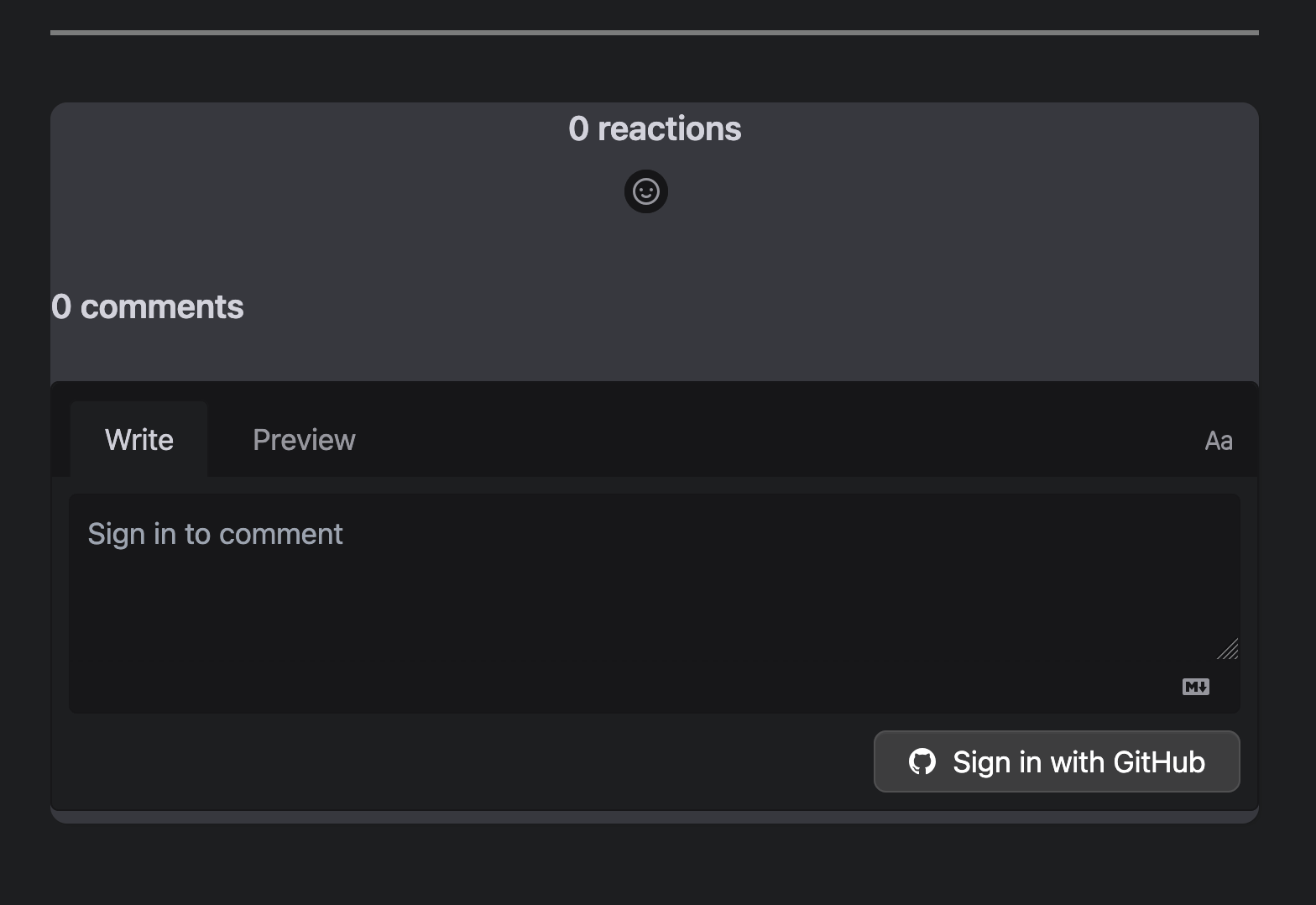
一直在看别人的博客,发现别人的博客都有评论系统,我也想集成一个进我的博客里

可以在 Hugo 的官方翻到 Content ManagementCommnet 的内容,虽然内容草草写了下配置 Disqus, 但在最后面提供一些开源评论系统的选择。

Open-source commenting systems:

  • Cactus Comments
  • Comentario
  • Comma
  • Commento
  • Discourse
  • Giscus
  • Isso
  • Remark42
  • Staticman
  • Talkyard
  • Utterances

本着能免费使用就免费的原则,选择依托于 GitHubfeature 搭建的方法,这样就不需要自建数据库了。

这样就只剩下 GiscusUtterances

Giscus 是基于 GitHub Discussions 实现的评论系统,而 Utterances 是基于 GitHub Issues 实现的评论系统。

Giscus 是受 Utterances 启发的项目,至少在 README 里是这么写的,会比 Utterances 更新一点。我对比了下 UI,个人更喜欢 Giscus 的扁平一点的风格。

接下来就让我们为博客引入 Giscus

创建 Gitub 仓库

首先需要新建一个新的公共仓库,仓库需要是公共的,不然访客将无法查看 Discussion 我推荐不使用旧的仓库,主要是不想和其他已有的项目耦合,我推荐这样的做法。

仓库默认是不打开 Discussions 功能的,需要我们手动开启。

菜单路径: Settings -> General -> Features -> Discussions
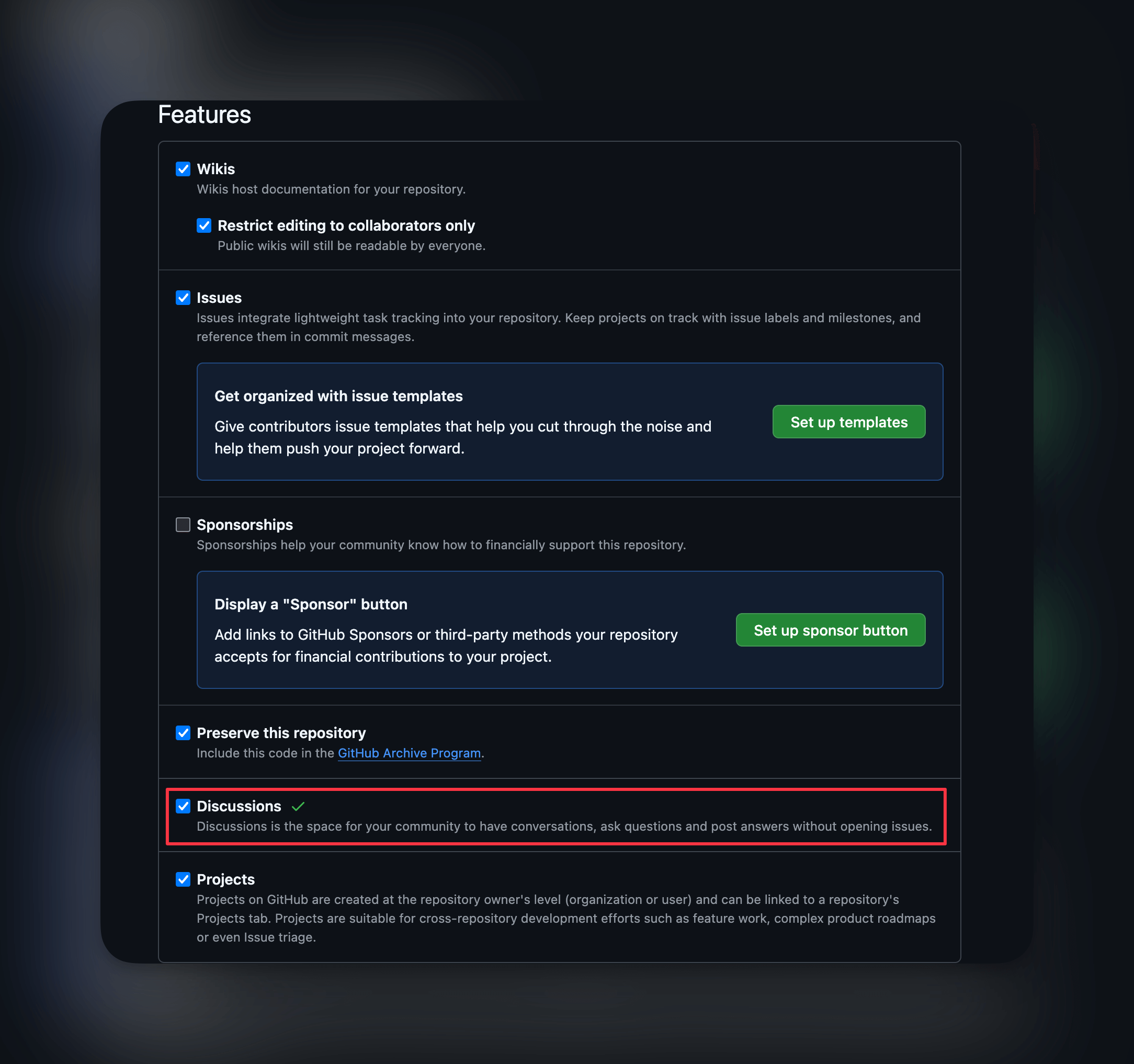
Enable Discussions

Github 安装 Giscus

Github 安装 Giscus App

点击 Configure 进入配置, Giscus 的仓库访问权限只要选择我们刚刚创建的新仓库
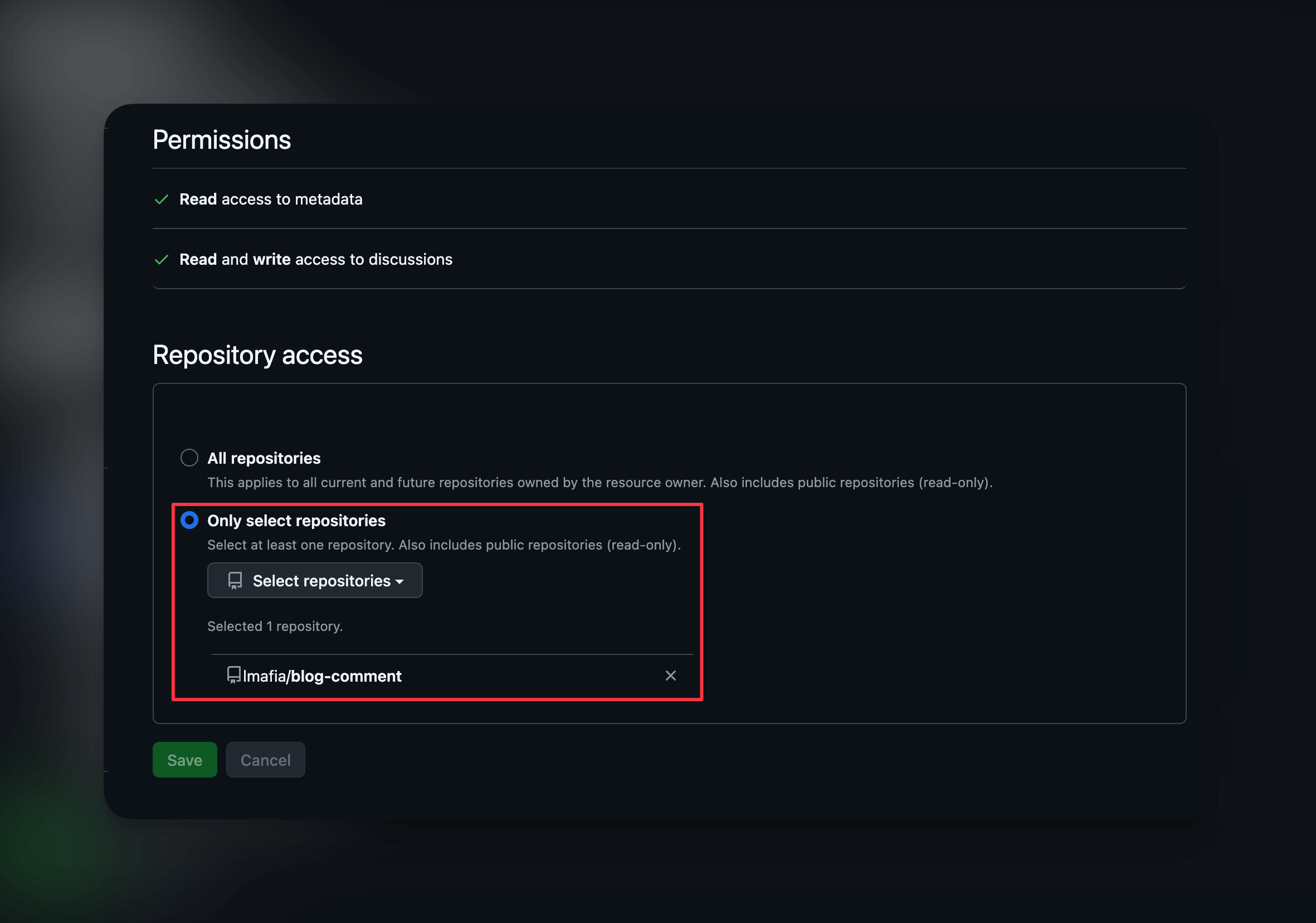
Giscus Configue

Giscus 的配置

访问 giscus.app

主要填写仓库路径和 Discussion 分类

仓库路径的格式为 {{用户名}}/{{仓库名}} Giscus 仓库路径
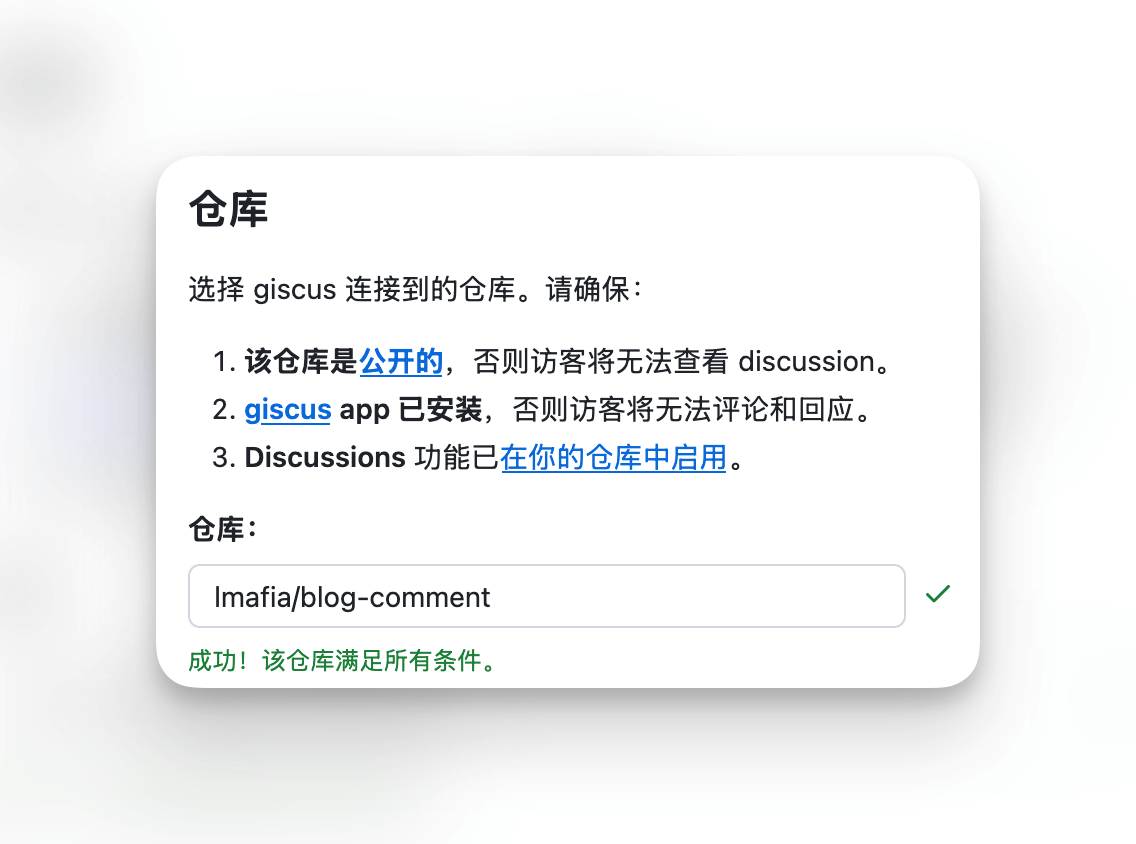
Discussion 分类推荐 Announcements, 以确保新 Discussion 只能由仓库维护者和 Giscus 创建。 Giscus Discussion 分类

接下来把要把 启用 giscus 下的 script 代码复制出,待会需要添加到 Hugo

 1
 2
 3
 4
 5
 6
 7
 8
 9
10
11
12
13
14
15
16
<script
  src="https://giscus.app/client.js"
  data-repo="[在此输入仓库]"
  data-repo-id="[在此输入仓库 ID]"
  data-category="[在此输入分类名]"
  data-category-id="[在此输入分类 ID]"
  data-mapping="pathname"
  data-strict="0"
  data-reactions-enabled="1"
  data-emit-metadata="0"
  data-input-position="bottom"
  data-theme="preferred_color_scheme"
  data-lang="zh-CN"
  crossorigin="anonymous"
  async
></script>

Hugo 添加 Giscus 评论系统

我偷懒不想修改现有主题的代码,选择覆盖主题的 comments.html 文件 在 layouts/partials/ 下新建 comments.html 文件

把刚刚复制出来的代码粘贴到 comments.html

启动 Hugo hugo server --disableFastRender, 打开任何一篇文章页面看看是否在最下方出现了评论系统

成功之后,效果如下 添加 Giscus 效果
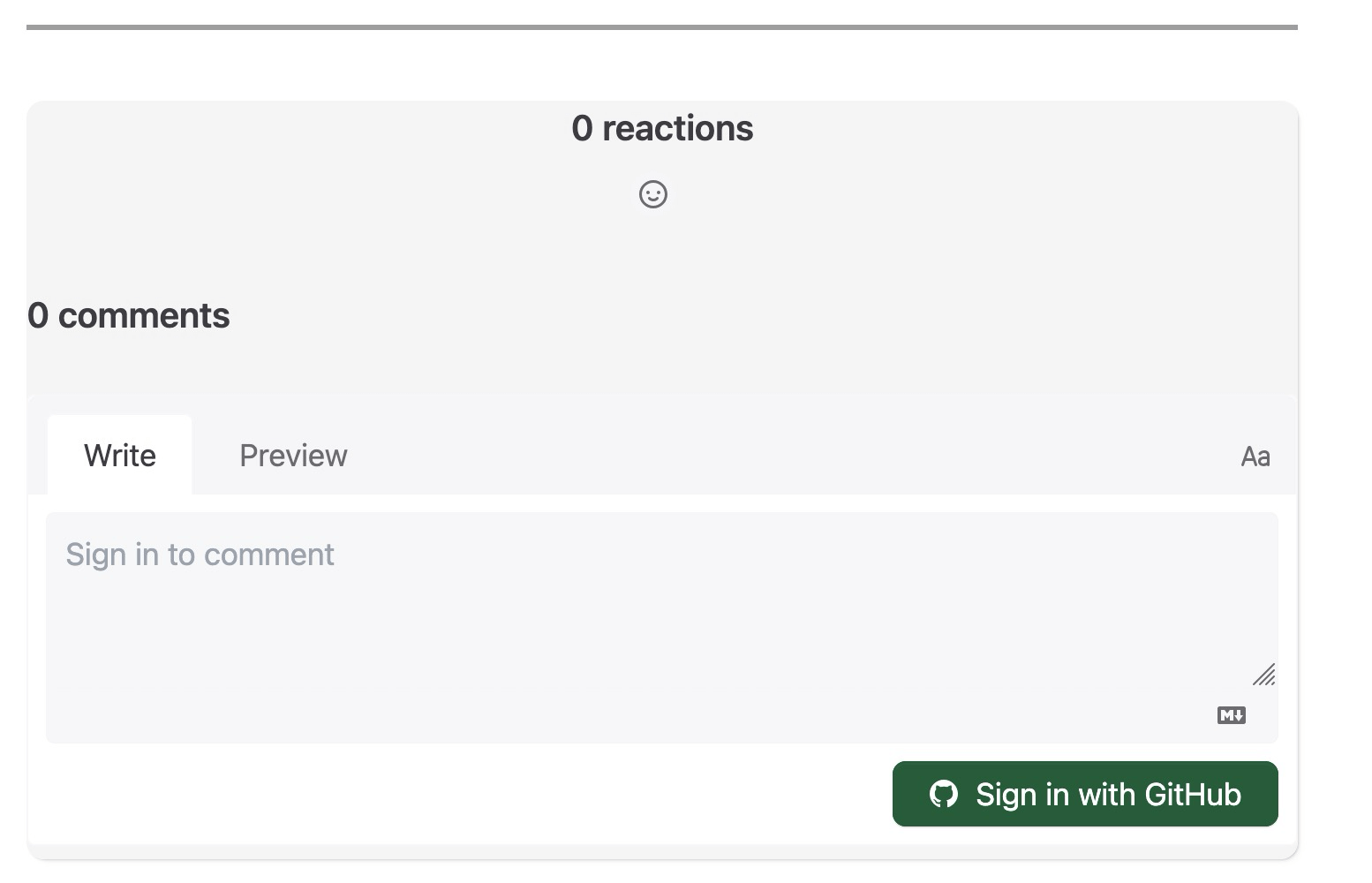
这里有一点不足的地方就是选择切换暗色主题后, Giscus 不会自动适配,这需要我们自己写代码适配了

主要逻辑是在切换主题的时候把 scriptdata-theme attribute 修改为暗色或亮色主题

支持切换亮色暗色主题

我用的是 hugo-PaperModX 主题,reorx 已经适配了几款评论系统了,也支持主题色切换,我就参考了他的代码适配了下 Giscus

把上面的 comment.html 修改为

 1
 2
 3
 4
 5
 6
 7
 8
 9
10
11
12
13
14
15
16
17
18
19
20
21
22
23
24
25
26
27
28
29
30
31
32
33
34
35
36
37
38
39
40
41
42
43
44
45
46
47
48
49
50
51
<div class="comments-box giscus-widget">
  <div id="giscus-widget-container"></div>
</div>
<script>
  var giscus_config = {
    "data-repo": "[在此输入]",
    "data-repo-id": "[在此输入]",
    "data-category": "Announcements",
    "data-category-id": "[在此输入]",
    "data-mapping": "pathname",
    "data-strict": "0",
    "data-reactions-enabled": "1",
    "data-emit-metadata": "0",
    "data-input-position": "bottom",
    "data-lang": "en",
    "data-theme": "noborder_light",
  };

  (function () {
    const key = "giscus-widget";

    if (!toggleThemeCallbacks.hasOwnProperty(key)) {
      toggleThemeCallbacks[key] = (isDark) => {
        loadgiscus(!isDark);
      };
    }

    function loadgiscus(isDark) {
      const container = document.querySelector("#giscus-widget-container");
      if (!container) return;

      container.innerHTML = "";

      const s = document.createElement("script");
      s.src = "https://giscus.app/client.js";
      for (const key in giscus_config) {
        s.setAttribute(key, giscus_config[key]);
      }
      s.async = true;
      if (isDark) {
        s.setAttribute("data-theme", "noborder_gray");
      } else {
        s.setAttribute("data-theme", "noborder_light");
      }
      s.setAttribute("data-no-instant", "");
      container.appendChild(s);
    }

    loadgiscus(isDarkTheme());
  })();
</script>

点击主题切换后, 支持后的暗色主题效果

适配暗色主题

以上就是我为我的博客添加 Giscus 作为评论系统的主要内容啦,闲暇时间折腾下博客还是挺有意思的。

现在已经是 2025 年 12 月 了,希望 2026 年的自己能多输出,多分享技术和生活内容,也希望在互联网上有读者来我的博客留下自己的脚步 👣。